

Espandersi in una nuova regione richiede più della semplice traduzione; richiede un approccio dedicato strutture degli URL, Indicizzazione SEO, e reti di distribuzione dei contenuti. MultiLipi astrae questa complessità, permettendoti di distribuire (o ritirare) interi endpoint linguistici istantaneamente dalla tua dashboard.
Questa guida copre il ciclo di vita di una lingua: Provisioning, Configurazione (Font/RTL), e Dismissione.
Provisioning del Mercato con un clic
A differenza dei plugin di traduzione tradizionali che richiedono configurazioni manuali per ogni nuova lingua, MultiLipi effettua automaticamente il provisioning di tutta l'infrastruttura necessaria: sottodirectory o sottodomini, tag hreflang, voci della sitemap XML e metadati localizzati, il tutto con un singolo clic.
1. Provisioning (Aggiunta di una Lingua)
Lancia un nuovo mercato in pochi secondi.
Quando aggiungi una lingua, MultiLipi fornisce istantaneamente le necessarie sottodirectory (ad es., /de/) o Sottodomini (ad es., de.site.com) e attiva il Motore di traduzione neurale per iniziare a indicizzare i tuoi contenuti.
Protocollo di Deployment
Infrastruttura di accesso
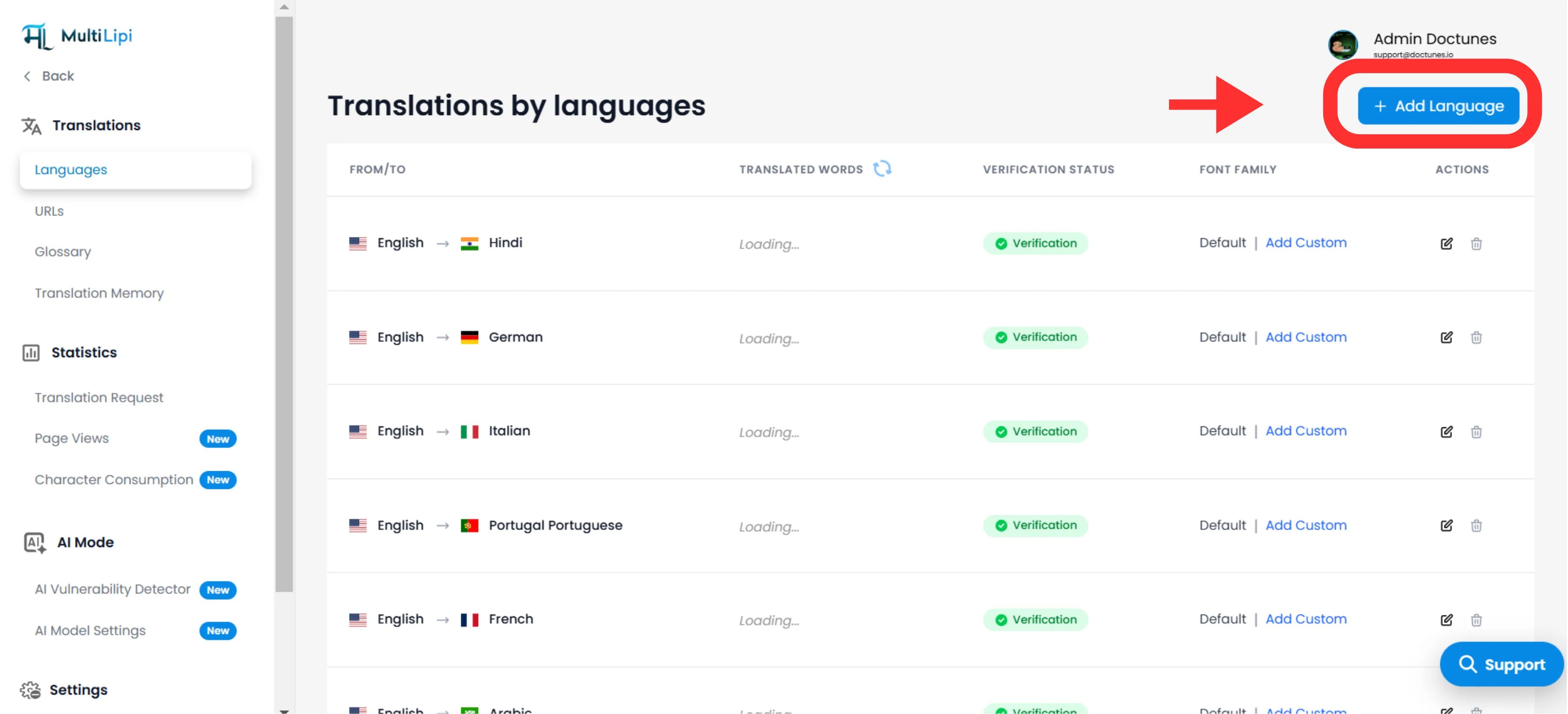
Naviga su Traduzioni > Lingue nella barra laterale della tua dashboard.
Avvia Distribuzione
Fai clic Aggiungi lingua nell'angolo in alto a destra.
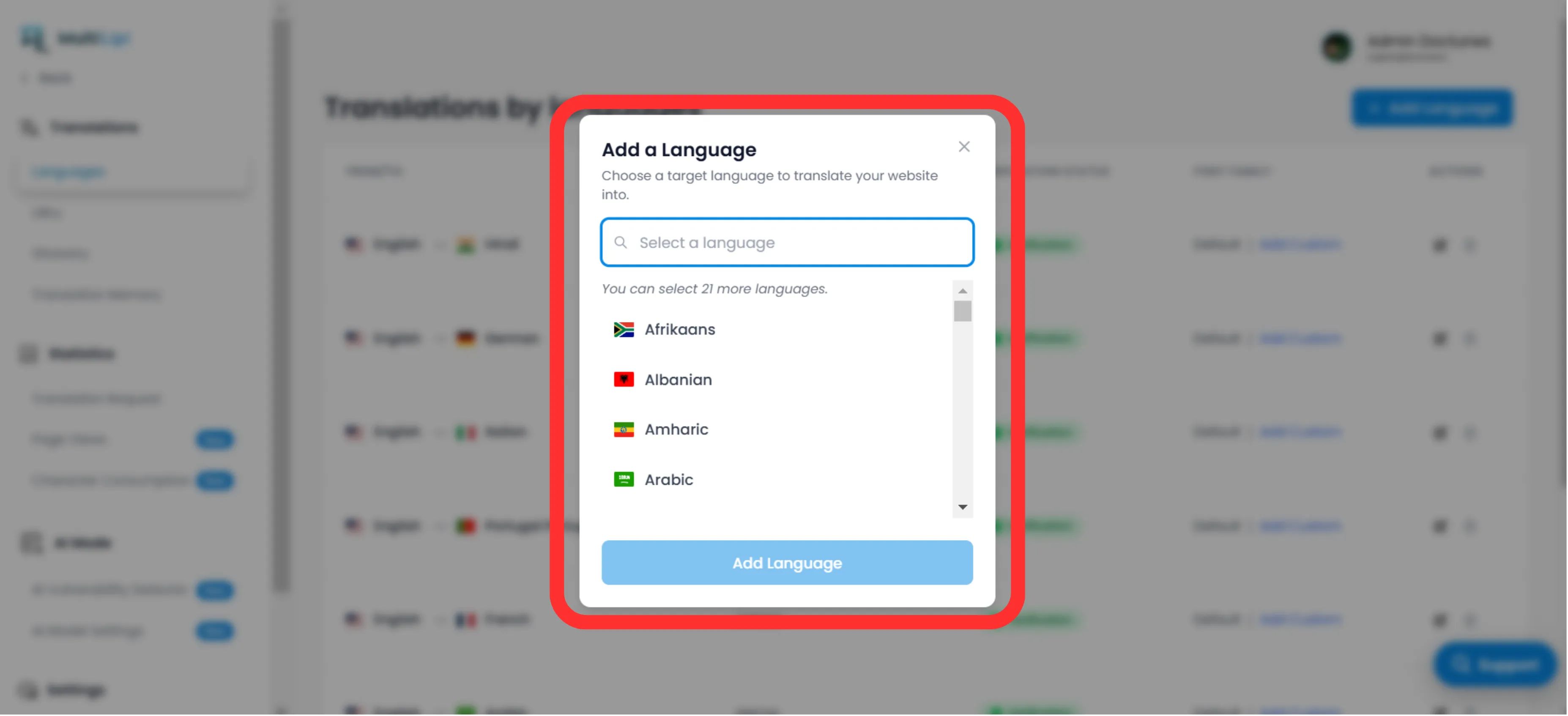
Seleziona Località
Scegli tra le nostre Oltre 100 lingue supportate.
Nota strategica
Sii specifico. Selezionando Spagnolo (Messico) vs. Spagnolo (Spagna) altererà i tuoi tag hreflang e il targeting SEO.
Esegui
Fai clic Aggiungi. L'endpoint è ora attivo e l'indicizzazione inizia immediatamente.
2. Configurazione e Localizzazione
Garantire la leggibilità tra gli script.
Il deployment della lingua è solo il primo passo. Devi assicurarti che lo script venga visualizzato correttamente per gli utenti locali.
Tipografia (Font Family)
Lingue diverse richiedono pesi visivi diversi. Nel Language Grid, usa il "Font Family" colonna per assegnare font web specifici.
Esempio
Usa 'Noto Sans JP' per il giapponese per garantire una chiara definizione dei caratteri, mantenendo 'Inter' per l'inglese.
Direzionalità (Supporto RTL)
Per mercati come il Medio Oriente (Arabo, Ebraico, Farsi), MultiLipi rileva automaticamente la locale e capovolge il layout CSS per da destra a sinistra (RTL). Non è richiesta alcuna codifica manuale.
Rilevamento Automatico: Quando aggiungi arabo, ebraico o farsi, il sistema applica automaticamente dir="rtl" per garantire un corretto flusso del testo e il mirroring del layout.
3. Dismissione (Rimozione di una Lingua)
Tramonta i mercati sottoperformanti in modo efficace.
Se una regione non è più strategica, o se è necessario recuperare la quota di traduzione, è possibile de-provisionare la lingua.
Individua Endpoint
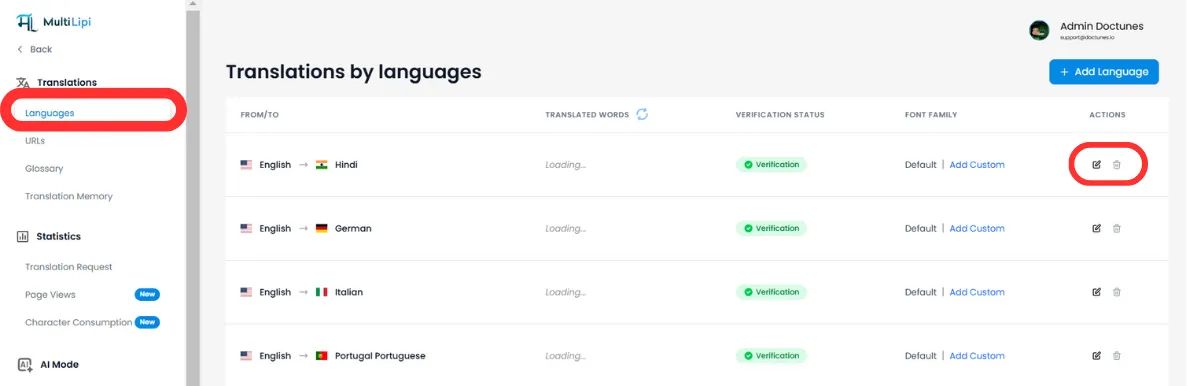
Nel Lingue pannello, trova la riga di destinazione.
Esegui rimozione
Fai clic sul Icona Cestino/Elimina nella colonna Azioni.
Conferma
⚠️ Avviso Critico
Rimozione di una lingua elimina immediatamente l'endpoint. Qualsiasi traffico verso /fr/ (ad esempio) risulterà in un Errore 404. Se questa lingua ha pagine indicizzate, consigliamo di impostare Reindirizzamenti 301 a livello del tuo server prima della cancellazione.
Riepilogo: Impatto sull'infrastruttura
| Azione | Impatto SEO | Impatto sulla Quota |
|---|---|---|
Aggiungi lingua | Genera nuovi tag hreflang & Voci della sitemap XML. | Consuma quota man mano che le pagine vengono visitate e indicizzate. |
Rimuovi Lingua | Gli URL sono deindicizzato da parte di Google nel tempo. | Libera quota per traduzioni future. |
🌍 Gestione strategica delle lingue: A differenza dei concorrenti che richiedono la configurazione manuale dell'infrastruttura per ogni nuova lingua, il provisioning con un clic di MultiLipi ti consente di testare rapidamente nuovi mercati e di cambiare istantaneamente in base ai dati di performance, senza overhead tecnici.