
1. Il protocollo di audit
Passaggio 1: Accedi al Contesto del Progetto
Accedi alla tua Dashboard MultiLipi.
Nella barra laterale sinistra, sotto la Traduzioni sezione, fai clic sul tuo progetto corrente per aprirne le impostazioni specifiche.
Passaggio 2: Accedi alla mappa di routing
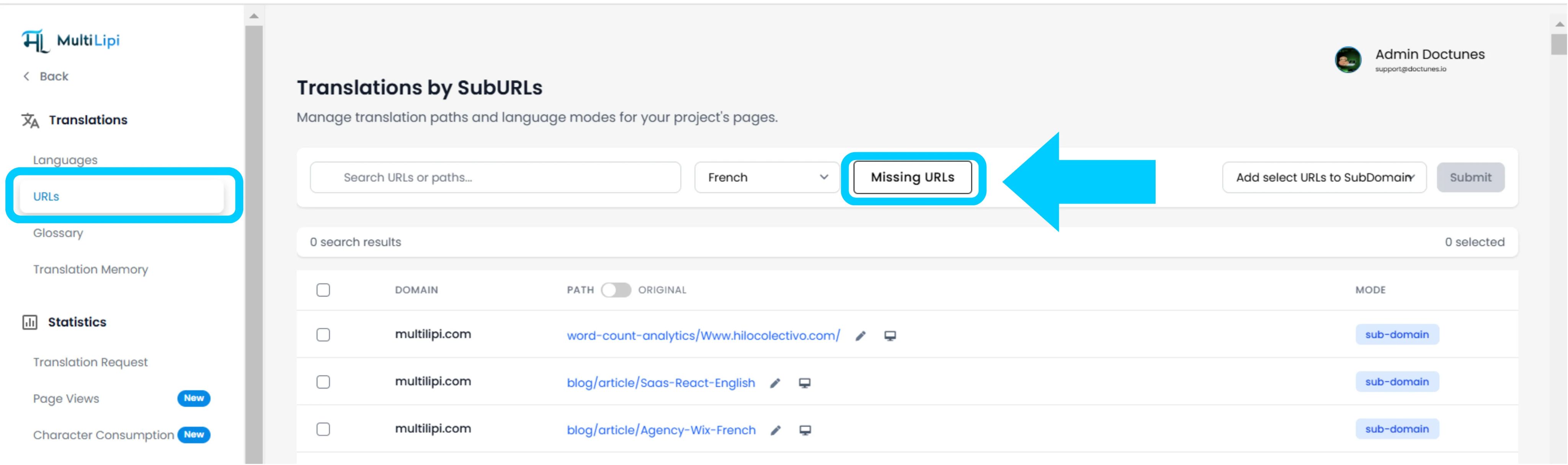
All'interno della vista del progetto, fai clic su URL opzione nella barra laterale.
Contesto: Questo pannello visualizza il registro di tutti i percorsi attualmente monitorati e tradotti.
Passaggio 3: Definisci Contesto di Destinazione
Individua il menu a discesa accanto alla barra di ricerca.
Azione: Seleziona la lingua specifica che desideri controllare (ad es. Francese).
Logica: Il sistema confronterà ora l'indice di origine (inglese) con l'indice francese.
Passaggio 4: Esegui Scansione
Fai clic sul URL mancanti pulsante.
Azione del sistema: Il motore scansiona il tuo dominio di origine per percorsi validi che sono assenti dalla mappa linguistica corrente.
2. Ingestione e Sincronizzazione
Riepilogo audit
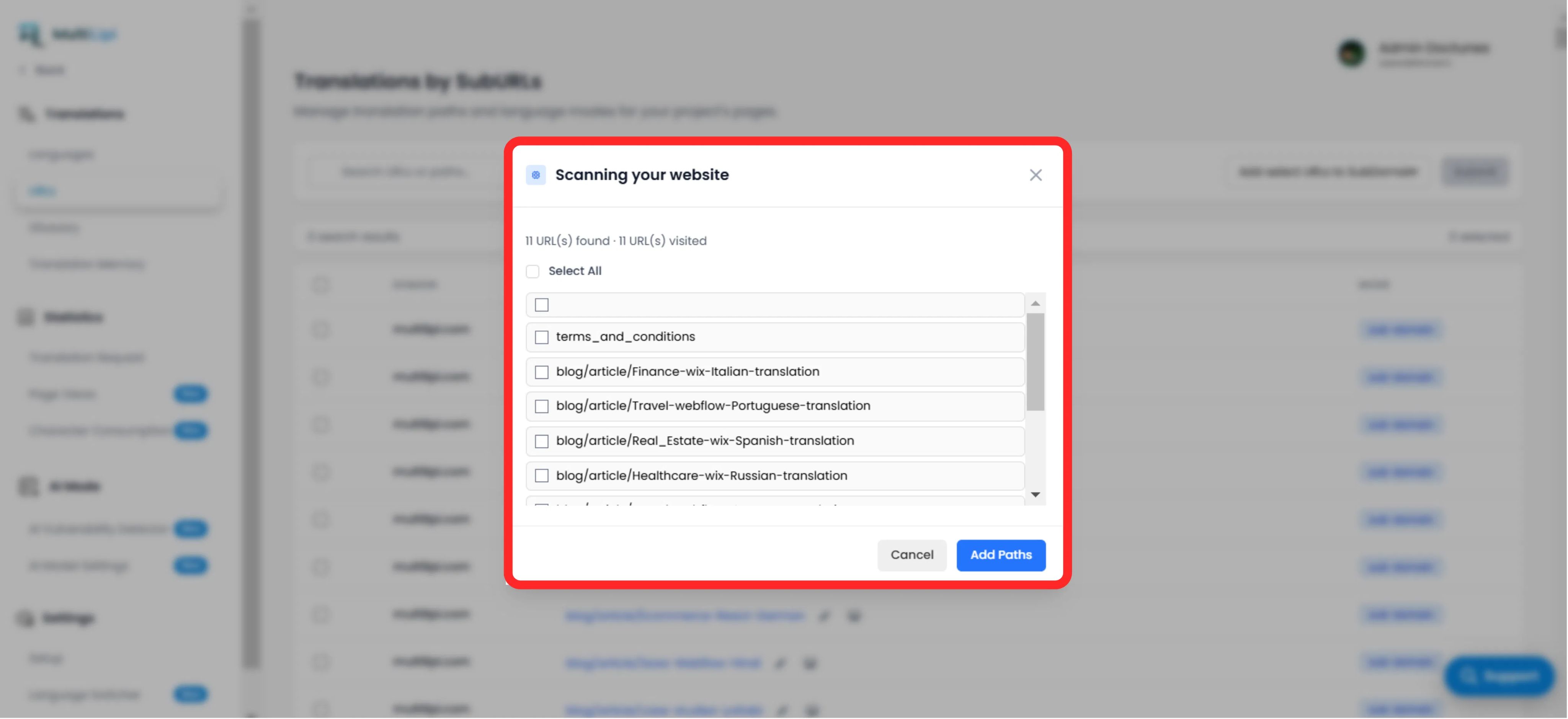
Visualizza il numero totale di percorsi non tradotti trovati.
Elenco percorsi
Un elenco granulare di ogni URL specifico (ad es. /blog/new-feature) che manca nella lingua di destinazione.
Il Protocollo Fix
Selezione: Seleziona manualmente le caselle per pagine specifiche o fai clic su "Seleziona tutto" per sincronizzare l'intero batch.
Commit: Fai clic sul pulsante "Aggiungi percorsi".
Risultato: Qu questi URL vengono immediatamente aggiunti alla coda di traduzione. Il sistema genererà ora le versioni localizzate e consentirà al traffico di raggiungerle.
3. Benefici strategici
Copertura SEO
I motori di ricerca non possono indicizzare pagine che non esistono. L'aggiunta di questi URL garantisce che Google indicizzi l'intero sito in francese, non solo la home page.
Prevenzione vicoli ciechi
Garantisce che se un utente cambia lingua su una pagina approfondita, non venga riportato alla home page perché la traduzione specifica era mancante.
Scoperta automatica
Elimina la necessità di fogli di calcolo manuali per tenere traccia di quali post del blog sono stati tradotti.
Suggerimento Pro
Dopo aver ingerito nuovi percorsi, naviga su Modalità AI > Rilevatore di vulnerabilità per eseguire un controllo SEO immediato su queste pagine appena create per garantire che siano ottimizzate per il lancio.