

Proteggi l'accesso alla tua infrastruttura con la rotazione periodica delle credenziali.
Proteggere il tuo Centro di Comando MultiLipi è fondamentale. Sia che si aderisca alle politiche di conformità aziendale o semplicemente si aggiorni la sicurezza, è possibile ruotare le proprie credenziali di accesso direttamente dalla dashboard senza bisogno di intervento di supporto.
Questa guida descrive il protocollo per l'aggiornamento della password del tuo account principale.
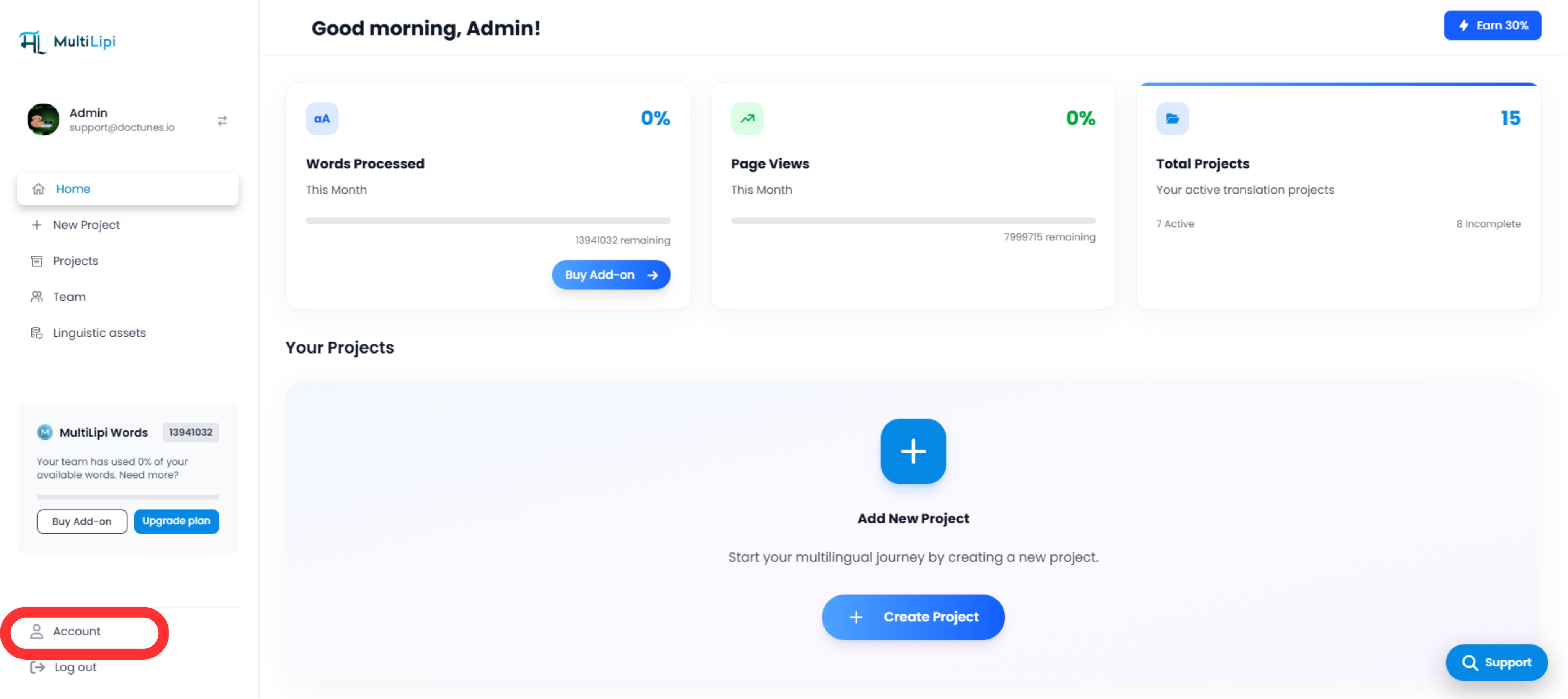
1. Accesso ai controlli di sicurezza
Per avviare un aggiornamento delle credenziali:
2. Esecuzione dell'aggiornamento
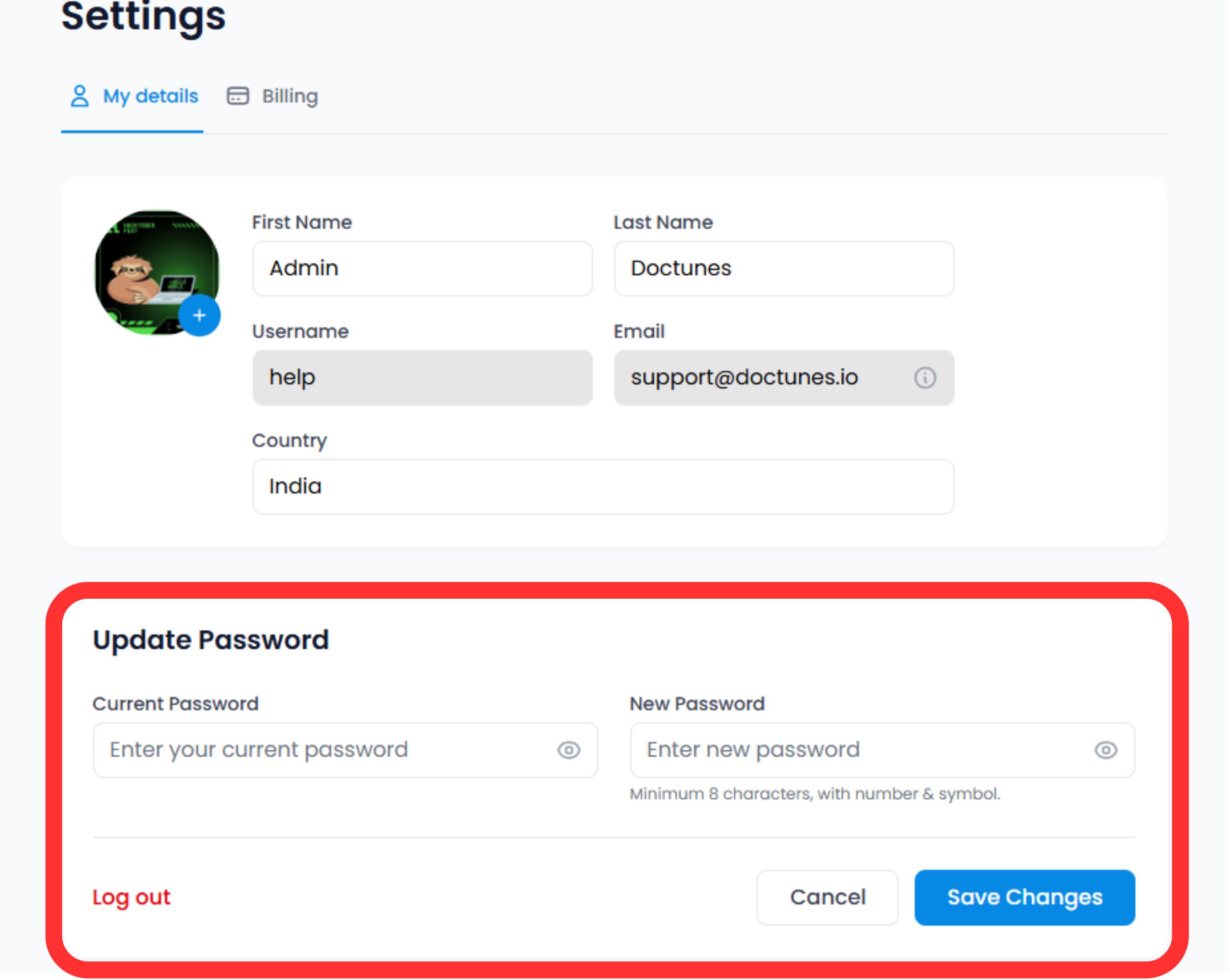
Scorri fino al Sezione Sicurezza in fondo al modulo del profilo.
Verifica Identità
Inserisci la tua Password Attuale per autorizzare la modifica.
⚠️ Nota di Sicurezza: Non puoi cambiare la tua password senza dimostrare il tuo attuale livello di accesso.
Imposta Nuove Credenziali
Inserisci la tua Nuova Password.
Conferma
Fai clic Salva Modifiche.
Azione di Sistema
L'aggiornamento è immediato. Potrebbe essere necessario autenticarsi nuovamente su altri dispositivi dove la tua sessione è attiva.
3. Standard delle credenziali (Best Practices)
Per la massima sicurezza, raccomandiamo di aderire alle seguenti regole di complessità:
Lunghezza
Minimo 12 caratteri.
Complessità
Mix di alfanumerici (A-Z, 0-9) e simboli speciali (!@#$).
Unicità
Non riutilizzare password di altri servizi.
4. Protocollo di Recupero
Bloccato?
Se non ricordi la tua password corrente per eseguire i passaggi di aggiornamento sopra descritti, non usare questo modulo.
Azione:
Esci e usa la "Password dimenticata" link sulla schermata di accesso. Questo attiva un flusso di recupero via email per verificare la tua identità esternamente.
🔒 Migliore Pratica di Sicurezza
Consigliamo di cambiare la password ogni 90 giorni e di abilitare l'autenticazione a due fattori (2FA) per un ulteriore livello di sicurezza. Aggiornamenti regolari delle credenziali aiutano a proteggere la tua infrastruttura MultiLipi da accessi non autorizzati.
Informazioni sull'impostazione 2FA