
Automated translation provides the baseline, but perfect localization often requires nuance. MultiLipi integrates a Generative Suggestion Engine directly into your editing workflow. Whether you need to shorten a headline to fit a mobile screen or make a legal disclaimer sound more formal, you can trigger on-demand AI rewrites in three specific environments.
This guide details the operational protocols for the Side-by-Side Editor, Virtual Editor, and the Variability Engine.
1. The Side-by-Side Editor (Precision Workbench)
The code-view environment for granular control.
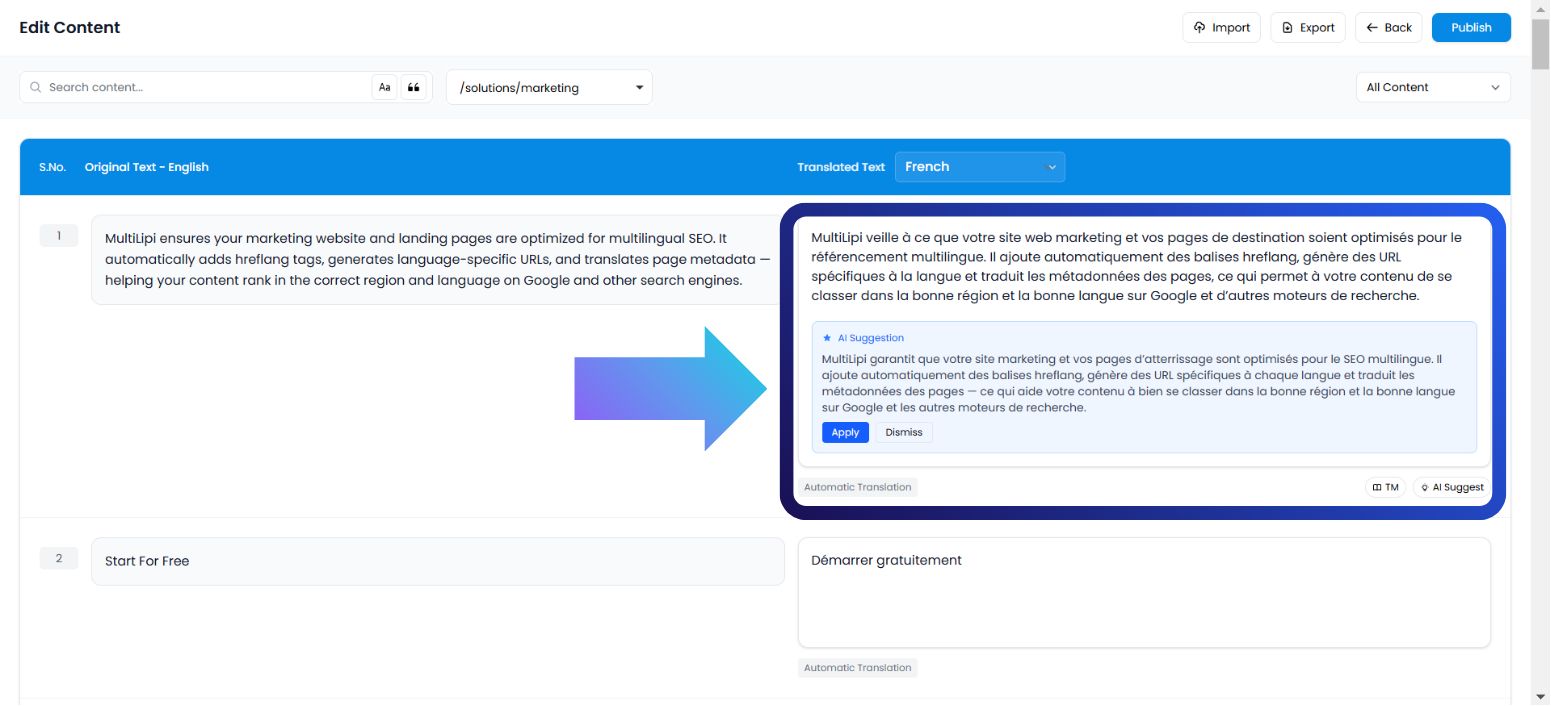
This interface displays your content as a structured list of string pairs (Source vs. Target). It is the ideal environment for linguists or editors who need to focus purely on the text without visual distractions.
Caso d'uso:
Rephrasing a specific sentence to be more SEO-friendly or correcting a grammatical nuance in a dense paragraph.
Execution Protocol:
Accedi alla Dashboard: Log in to your MultiLipi command center.
Select Project: Click on the specific project tile.
Naviga: Open the Lingue scheda.
Launch Interface: Seleziona Side by Side Editor from the options.
Trigger AI: Locate the specific text block. On the translated side (right column), click the AI Suggestion pulsante.
Commit:
Apply: Replaces the current text with the AI version (Consumes Quota).
Dismiss: Discards the suggestion (Zero Cost).
2. The Virtual Editor (Overlay Environment)
The WYSIWYG (What You See Is What You Get) context.
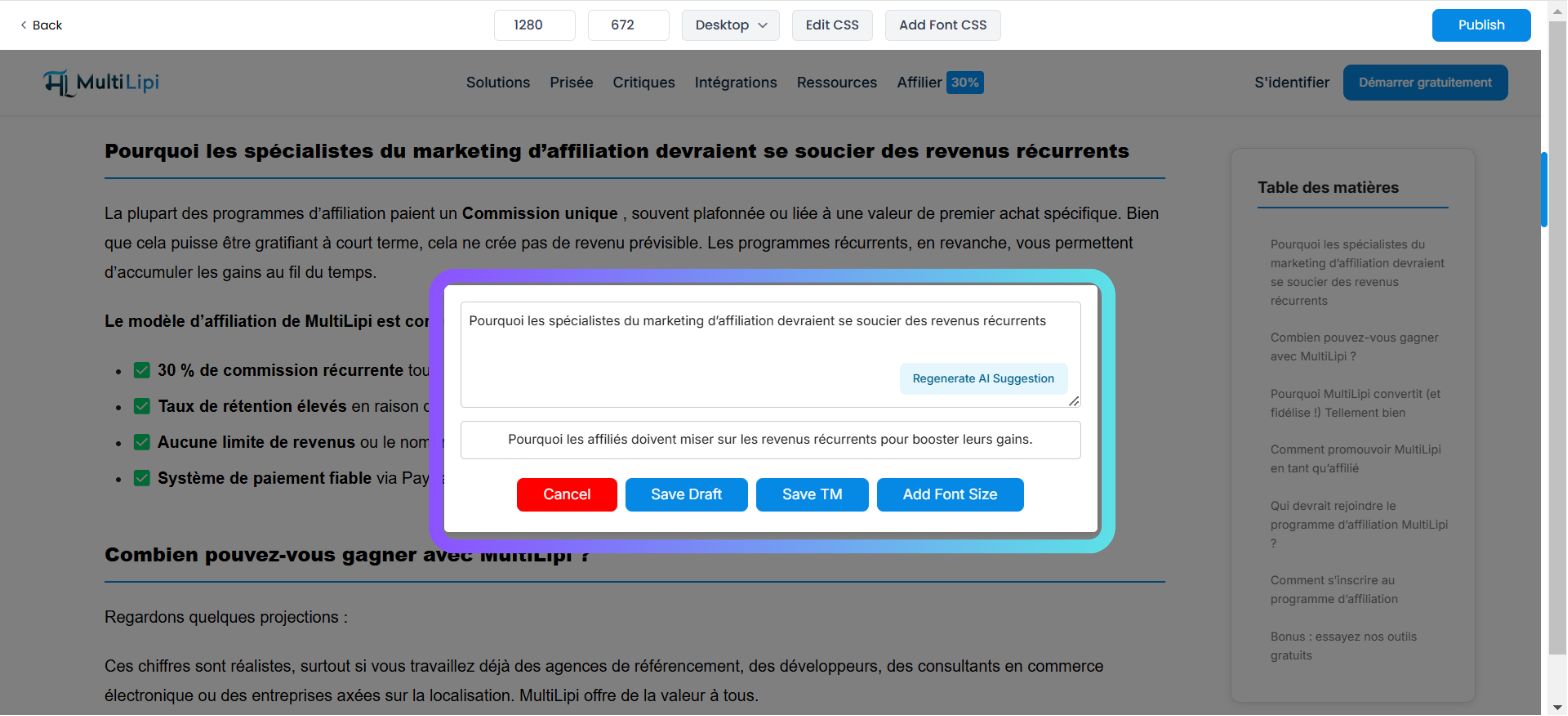
This interface overlays the translation engine on top of your live website. It allows you to edit text "in-situ," ensuring that your new translation fits within the visual boundaries of your buttons, banners, and menus.
Caso d'uso:
Shortening a blog title that is breaking the layout or rewriting a Call-to-Action (CTA) button to be punchier.
Execution Protocol:
Naviga: Go to Dashboard → Projects → URLs.
Launch Preview: Fai clic sul Modifica button under the Virtual Preview column for a specific page.
Select Element: Hover over and click on any editable text block on the live preview.
Trigger AI: Tap the AI Suggestion button in the popup toolbar.
Commit: Review the generated option and click Applica if it fits your layout.
3. The Variability Engine (Stylistic Diversity)
Generating semantic alternatives.
Sometimes a single translation isn't enough. The Variability Engine generates multiple stylistic versions of the same sentence, allowing you to choose the one that best fits your brand voice (e.g., Professional vs. Persuasive vs. Concise).
Caso d'uso:
A/B testing different marketing hooks for a landing page headline.
Execution Protocol:
Access Settings: Open your Project dashboard.
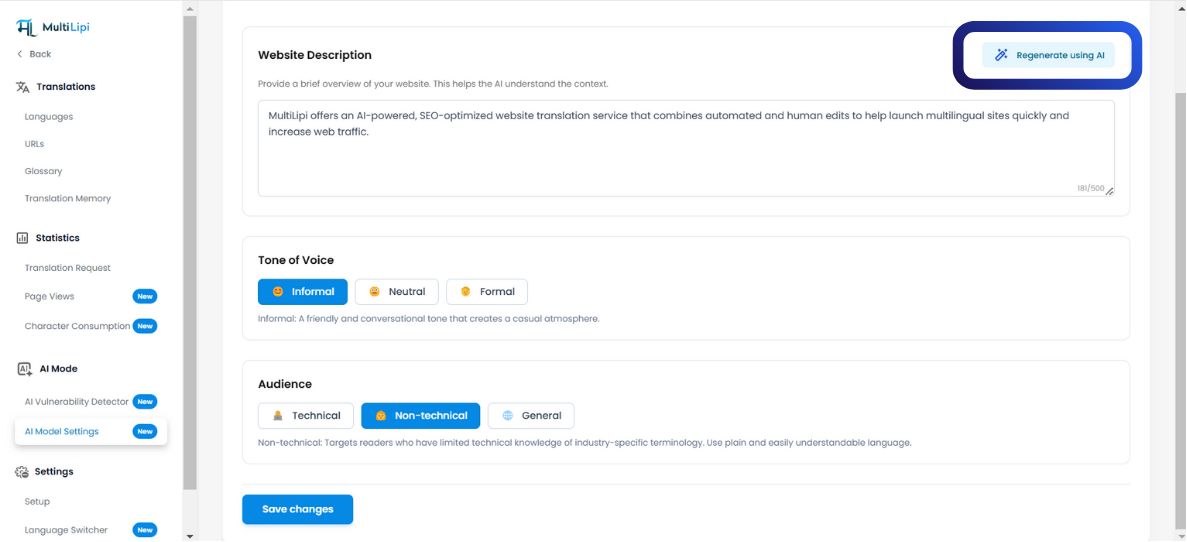
Naviga: Look for the AI Mode section in the sidebar.
Configure: Clicca sul Impostazioni Modello AI icon.
Generate: Choose your desired AI Content Format. The system will present multiple variations based on the sentence structure.
Quick Apply: Select the version you prefer to instantly update the translation memory.
4. Quota Governance (Billing Logic)
Understanding the cost of generation.
It is critical to understand when credits are deducted from your plan.
| Azione | Impatto sulla Quota |
|---|---|
| View Suggestion | Free. Generating a preview does not cost credits. |
| Apply Suggestion | Billable. Quota is deducted only when you click "Apply." |
| Dismiss Suggestion | Free. Rejecting an AI draft costs nothing. |
Plan Note:
Free tier plans have strict caps on AI word consumption. Paid tiers offer expanded or unlimited generation limits depending on your enterprise agreement.